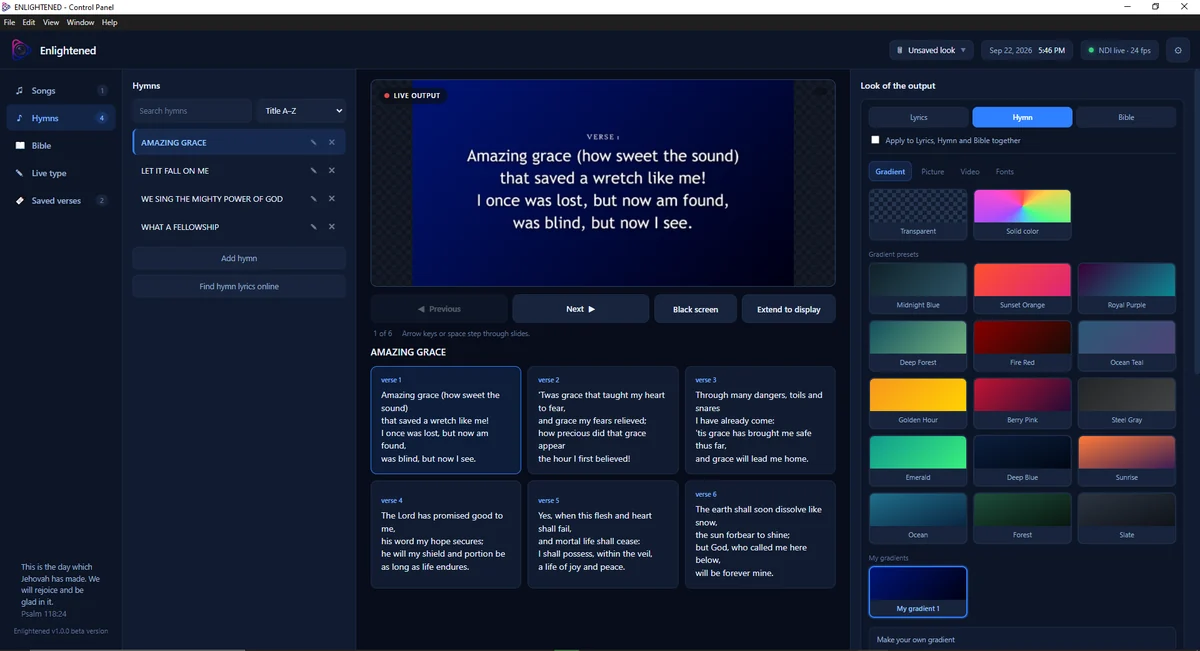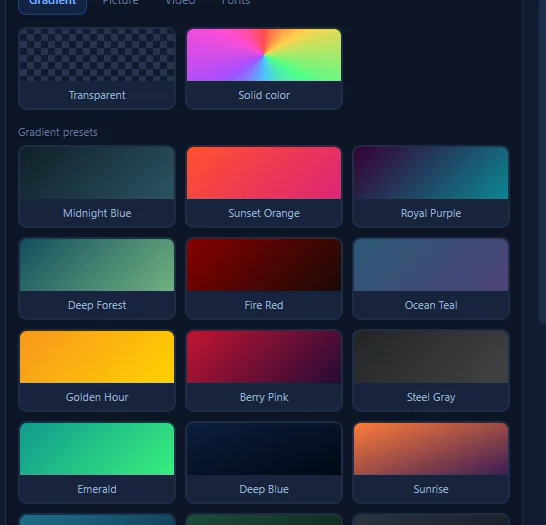
Gradient backgrounds
Start from the built-in presets, then mix and save your own so every service carries the same look.
The libraries, the output, and every control in between.
The workspace

Features
Eight things the software handles so nobody has to think about them mid-service.
Bible passages have their own section, ready to send to the screen the moment you reach them.
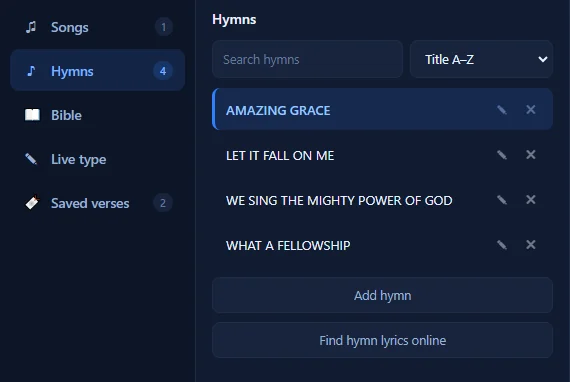
Separate libraries that stay sorted between services, with search and A–Z ordering.
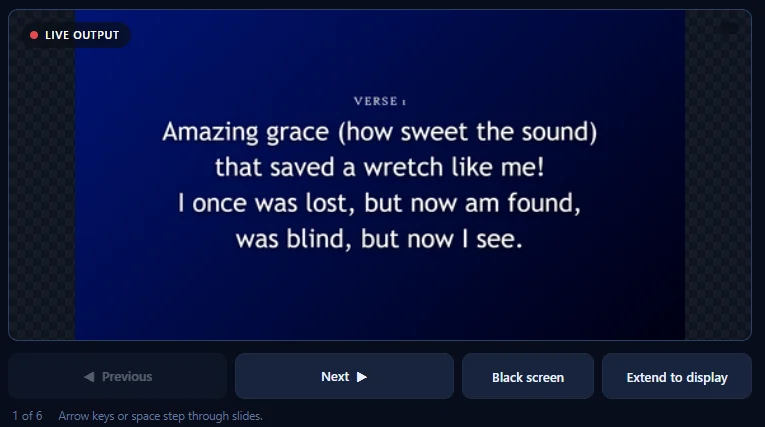
Decide what reaches the screen and when, including blacking it out entirely.
Set the mood with gradients, pictures, video and type, chosen once and saved for reuse.
Arrow keys or space step through the slides, so your hands never leave the keyboard.
The passages you return to every week, kept one click from the screen.
Type part of a title and the right hymn surfaces, without scrolling the library.
Your screen holds the controls. The congregation’s holds only the verse.
The workflow
The same window carries all four.
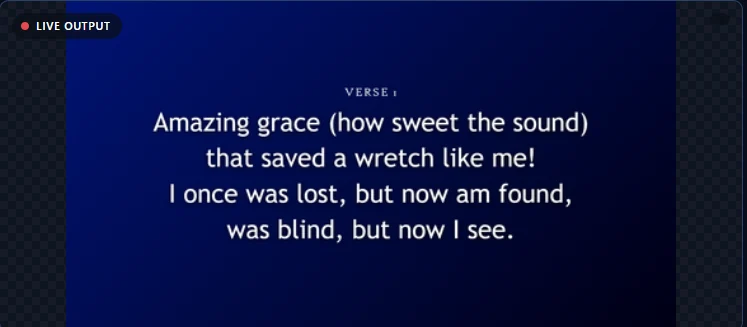
Visual customization
A quiet communion service and a full worship night should not look the same. Set the atmosphere from one panel.
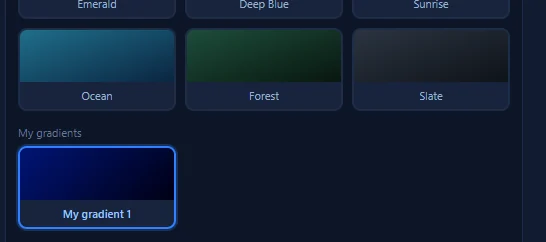
Start from the built-in presets, then mix and save your own so every service carries the same look.
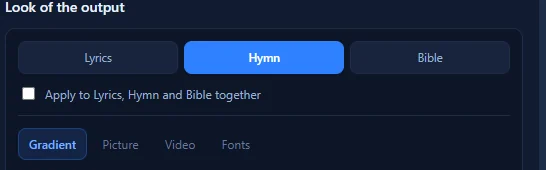
Colour is not the only option. Drop in a picture or a video clip, and set how the type sits on top of it.
Lyrics, hymns and Bible passages can each carry their own look, or share one across all three.
Verse labels, line breaks and scale are handled for you, so even a long passage still reads from the back row.
Who it's for
The screen is only the visible half. Enlightened Presenter is designed around the person running it.

The order of service is ready before the doors open.
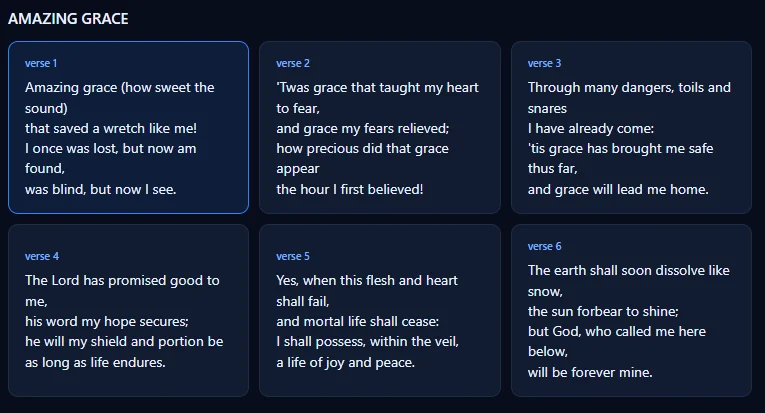
Display lyrics and songs without breaking the flow of worship.
Your passage appears on screen the moment you reach it.
Every control on your screen, and none of them on theirs.
FAQ
What churches and media teams ask most before they start.
Enlightened Presenter is scripture and worship presentation software for churches, ministries and media teams. It brings Bible passages, hymns, songs, lyrics and visual backgrounds into a single workspace, then sends a clean presentation output to the display your congregation sees.
Church media teams, worship teams, pastors and ministers, and presentation operators: anyone responsible for what appears on screen during a service, teaching session or ministry event.
Yes. Scripture is a core part of the workspace. Bible passages have their own section alongside songs and hymns, and frequently used passages can be kept in Saved verses for quick access during a service.
Yes. Hymns and songs each have their own library with search and sorting. Content is broken into slides (verse by verse, for example) so you can step through it while you present.
Yes. The look of the output is controlled from its own panel, with built-in gradient presets and the option to build and save your own gradients. Lyrics, hymn and Bible content can each carry their own look, or one look can be applied to all three together.
Yes. Alongside gradients, the background options include pictures and video, plus font controls for how text is rendered on the output.
Yes. Enlightened Presenter is built around a two-screen workflow. You work in the control panel on your own screen while Extend to display sends a clean output to your projector, screen or second display.
Enlightened Presenter is a desktop application, designed to run on the computer that drives your presentation display during a service. This website is fully responsive, so you can read about the product on any device.
Email enlightenedpresenter@gmail.com and we will help you get set up.
Email enlightenedpresenter@gmail.com for the current release and setup details.
Bring your scriptures, your songs and your screen into one place.
Questions first? enlightenedpresenter@gmail.com